

What the test call checks
The test call runs live against your current draft. Changes to the flow therefore take effect immediately in the next test, without you having to publish. This lets you iterate quickly.Test calls create no logged call and no entry in the call analysis – they serve solely for trying things out.
Starting a test call
1
Open the test view
For the agent’s draft, open the Test call view.
2
Grant microphone access
Allow the browser access to your microphone. The connection is established.
3
Speak
Talk to the agent like a real caller. You hear its responses and see the conversation live.
The test interface
During the test, you see three areas side by side:Flow state
Shows live which state of the flow the agent is currently in.
Live chat
The ongoing conversation as text – your inputs and the agent’s responses.
Event log
Technical events such as tool calls, results, and state changes.
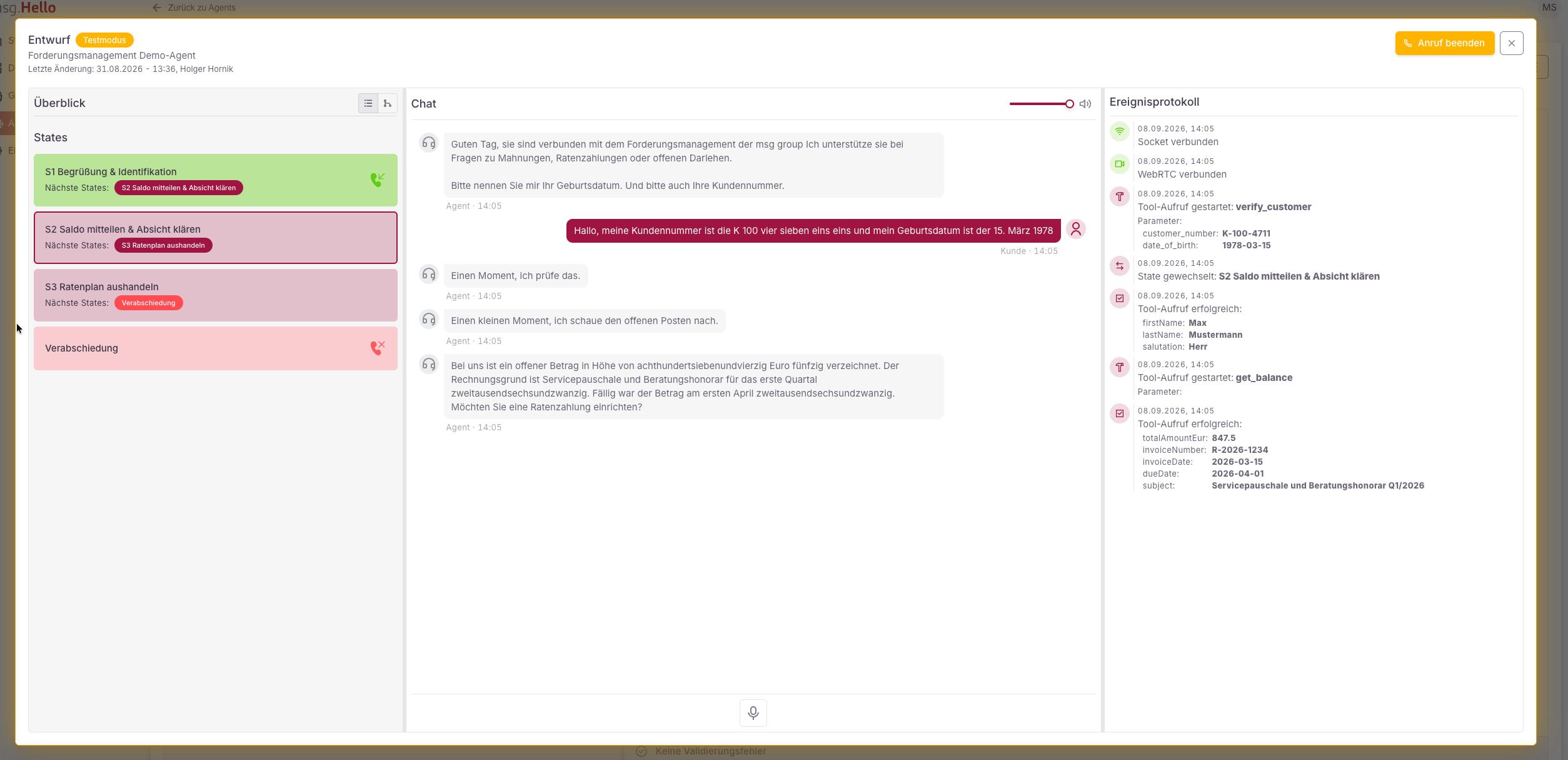
The test interface: flow states (left), live chat (center), and the event log with tool calls (right).