

What is an agent?
An agent is the AI phone assistant a caller reaches when they dial its phone number. It answers the call, understands the request in natural language, works through the conversation flow (flow) you defined and ends the call cleanly – by hanging up or transferring to a human. Everything that controls a call – behavior, language and the connected business systems – hangs off the agent. For different tasks or phone numbers you simply create several agents.Agent overview
The agent list shows all agents of your tenant with their publication status (active live version or “no version yet”). From here you create new agents or delete existing ones. Open the list via Agents in the sidebar.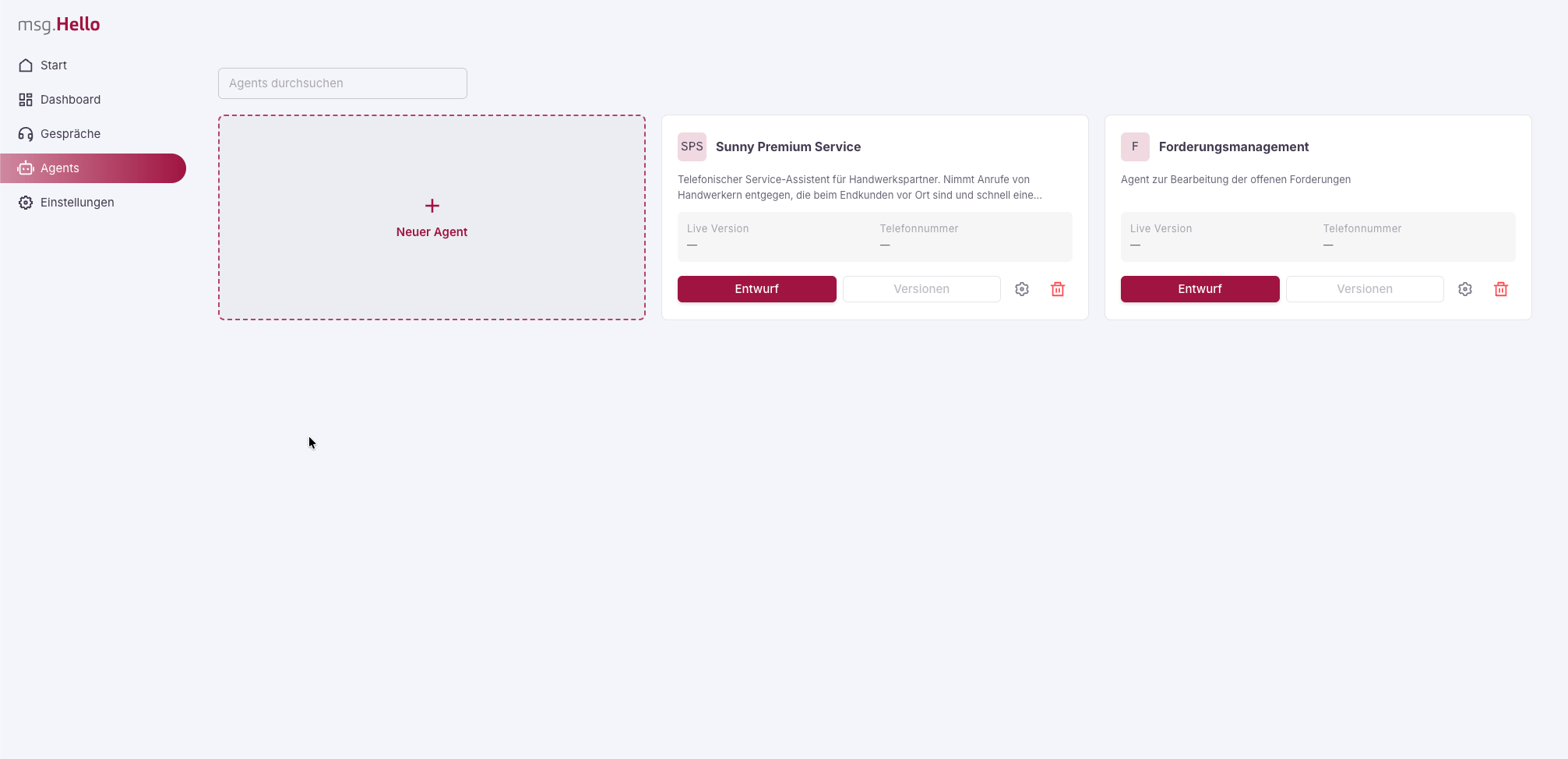
The agent list with the New agent card and existing agents.
Create a new agent
Click the New agent card. The Add agent dialog opens, where you choose the starting point.- Empty agent starts the agent wizard, and you define all settings yourself.
- A template creates a fully preconfigured agent. More on this under Create an agent from a template.
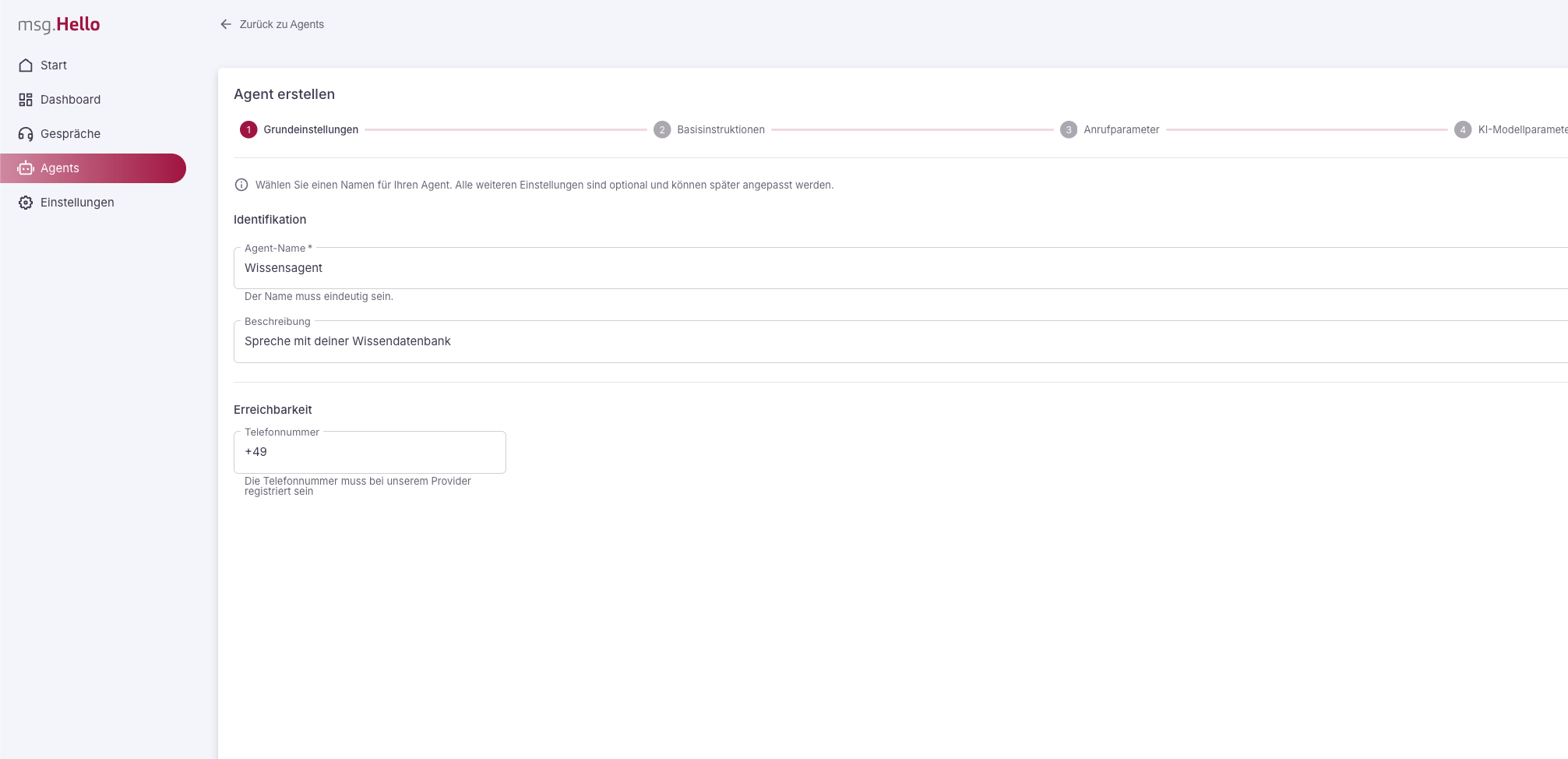
Step 1 of the agent wizard: basic settings with name, description and phone number.
1
Basic settings
Name and description of the agent as well as the phone number
at which it is reachable. The name must be unique; the phone number must be
registered with our provider.
2
Base instructions
The fundamental instruction to the agent: system role (who it is and
how it communicates), global rules for all conversations and critical
rules with the highest priority. How to word these fields well is shown in
the prompting guide.
3
Call parameters
Time limits of the conversation: maximum wait time for a user input
and maximum call duration. Both are unlimited by default and are
enabled via a toggle.
4
AI model parameters
Voice, transcription language, noise suppression and
barge-in (whether the caller may interrupt the agent).
5
Connectors
Optional connection to your business systems. Available connectors are on
the right, activated ones on the left. Details in the chapter Set up
connectors. To finish, save the agent with
Create.
Create an agent from a template
Templates are fully configured agents that ship with msg.Hello. They give you a head start when you don’t want to begin from scratch. In the Add agent dialog, each template shows its name, description and tags. A template copies base instructions, AI model parameters, call parameters, connectors and the complete flow as a draft into a new agent. Like every new agent, it starts without a live version and without a phone number. You adapt it, check it with a test call and then publish it. If an agent with the same name already exists, msg.Hello appends a sequential number, for example “Praxisassistent (2)”.Export and import agents (API)
You can export a complete agent as JSON via the REST API and import it again as a new agent, for example to move it between tenants or environments.
API access describes how to set up access for this.
The export contains name and description, base instructions, AI model and call parameters, the connector configuration and the current draft of the flow. It does not contain the phone number, the versions or any secret credentials. An import always creates a new agent with its own IDs. You then publish the draft there yourself.
If you only want to transfer the conversation flow, the flow export in the flow editor is enough.
Versions and going live
An agent works with versions of its flow:- You edit the draft.
- On publishing, the draft is validated and stored as an immutable, numbered version.
- You activate a version as the live version. New calls use it; ongoing calls stay on their version.
- From a version you can reopen an editable draft at any time.